Operating System
End-to-End Solution Provider
Deep system customization built for equipment manufacturing
Inject a stable, reliable kernel into your device.
NativeRemove the System Update module and Defender module., integratedPower-loss protection and write protectionHide the Windows logo, boot directly to a specified app, and significantly improve device reliability and stability.
Ideally, reduce system or software-related failures by more than 80%.
Tech Insights & Custom Case Studies
Custom practices and customer case studies across industries, along with Windows IoT version selection and system-level technical solutions.
Streamlined Control Panel: The Silent Guardian of Stable Device Operation
The control panel contains numerous device-agnostic settings that are a major source of on-site misconfiguration. We have streamlined the interface by removing non-essential options, retaining only the controls required for your specific devices. This reduces downtime and failures caused by accidental configuration changes.
Why must Defender be removed from the device?
Microsoft Defender can continuously consume CPU and memory, falsely flag and delete business applications, and even trigger blue screens due to its own updates. In our custom image, we have completely removed the Defender module and instead built a more device-appropriate protection system using power-loss protection, write-protection via whitelist, and a network firewall.
Windows Embedded Standard 7 Product Overview
Windows Embedded Standard 7 (WES7) is a componentized embedded systems platform from Microsoft designed for device manufacturers. It features a bootable kernel as small as 40MB, supports x86/x64, EWF/FBWF write protection, and HORM fast startup, while offering full compatibility with Windows 7 applications and drivers.
More than just trimming—deep system-level optimization.
We power devices with a reliable kernel, serving as the trusted software foundation for global expansion and remote deployments.
System Deep Customization
Trim 30% unnecessary processes, remove redundant components and services, keep process count around 60, significantly reducing resource usage and boosting performance.View all customization capabilities →
Power-off protection + Write protection
Supports direct power-off; automatically restores to preset state after reboot.Disk Write Protection (UWF/EWF)Allow file and partition write access with near-zero maintenance and built-in virus immunity.
System-locked HORM
Hibernate Once Resume Many: Memory Image Persistence. Compress cold boot from 30–60 seconds to under 5 seconds. Launch straight into the app interface on startup.View real-world startup acceleration test →
Comprehensive hiding and error prevention
Hide the Windows logo and all system shortcut keys to disable irrelevant functions. Users can only access designated programs, effectively preventing accidental operations.Learn about control panel cropping options →
Program monitoring and self-healing
System monitors the specified program's status in real time. If the program is unexpectedly closed, it automatically restarts to ensure continuous operation of unattended devices.View industry-specific solutions →
One-click backup and batch production
One-click local backup and restore with batch image deployment; recover to factory or custom state within 5 minutes after system failure, significantly simplifying remote operations.View Genuine Authorization & Part Numbers →
Built-in management console gives you full control over your device.
Complete control over startup behavior, write permissions, and system management—no third-party tools required.
- Custom Power On/Off ScreenReplace the Windows boot and shutdown screens with your brand logo for a seamless, invisible user experience.Learn more →
- Kiosk ModeThe device boots directly into the designated application, completely disabling the desktop (explorer.exe) to minimize accidental user actions.View Plan →
- Fine-grained write controlSet write protection or write exemptions by partition or folder. Automatically restores preset settings after system reboot, requiring near-zero maintenance and providing inherent virus immunity.Learn about write protection and antivirus alternatives →
- Hotkey Lock and Task Manager ControlLock Windows hotkeys and key combinations on demand, and independently enable or disable Task Manager under Ctrl + Alt + Delete.
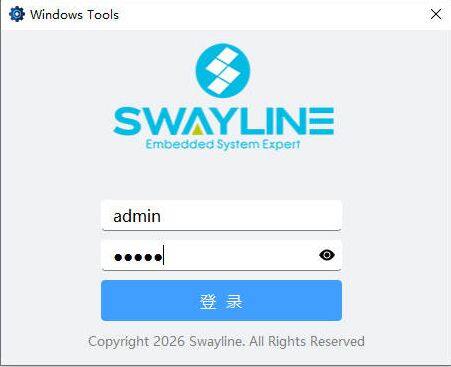
- Hide admin entryPress Alt + F7 to reveal the hidden login screen. After credential verification, access the admin panel as a maintenance entry point.View Frequently Asked Questions →
 Copyright 2026 Yanming Intelligence. All Rights Reserved

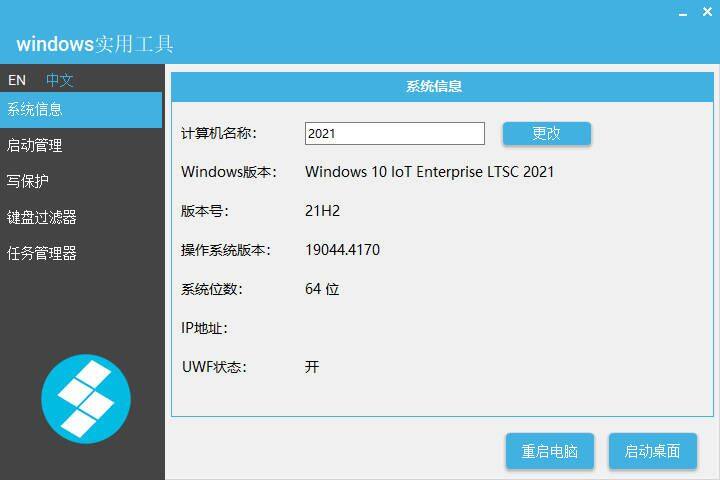

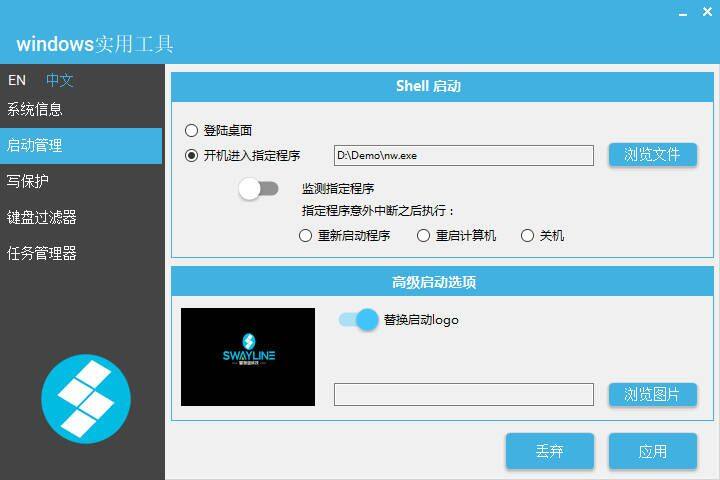
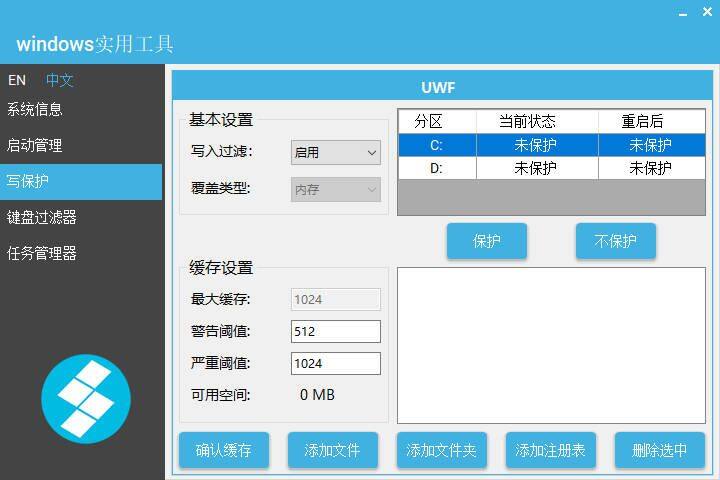
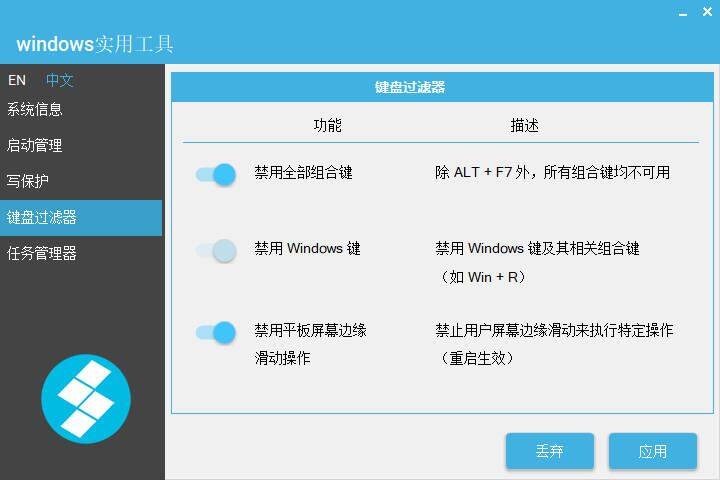
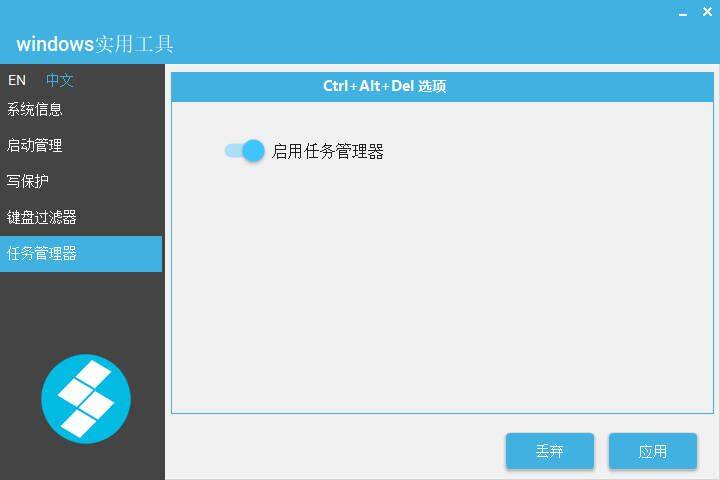
What does a customized Windows look like?
Each screenshot below is from our real-world Yuming custom image (8 GB device tested).
The above screenshot and data are all fromYanming Custom ImageTested. For more customization details,Contact Us